 Purple Sector
Garmin Catalyst data export
How to download Garmin Catalyst data: what syncs to the app, how to save overlay video, and the .fit file. Covers the Catalyst and Catalyst 2.
- .fit
Garmin doesn’t document a way to export Catalyst session data. Sessions sync to the Garmin Catalyst app and your Garmin account, and you can save video with the data drawn on it. The one raw data file is a .fit on the device’s own storage, and owners report newer Catalyst software stopped writing it.
What can I get off a Catalyst?
| What | Catalyst (original) | Catalyst 2 | Data you can analyse elsewhere? |
|---|---|---|---|
| Lap times and session summary | In the device and the Catalyst app; syncs to your Garmin account | Sent to the app over Bluetooth | Only on Garmin’s screens |
| Video with data overlay | Save to the memory card | Export from the app; save to your phone | No: the numbers are drawn into the picture |
Raw session file (.fit) | On the device storage over USB, on older software only (see below) | Not documented | Yes, when you have it |
How do I save a video with the overlay?
Original Catalyst: open the session summary, select the video thumbnail, select Save, choose the overlay and delta timer, then Save Video. It goes to the memory card.
Catalyst 2: export from the Garmin Catalyst app; Garmin lists "export HD videos with data overlays" as a feature. You can save session videos to your phone’s storage.
Can I analyse the overlay video?
Not as data. The speed and delta shown are part of the picture, not data in a file.
Where is the .fit file?
- Connect the Catalyst to a computer with its USB cable (Catalyst 2: Settings → Connect to Computer). It shows up as a removable drive.
- On older Catalyst software, look in its storage for the session’s
.fitfile and copy it off. - Open that
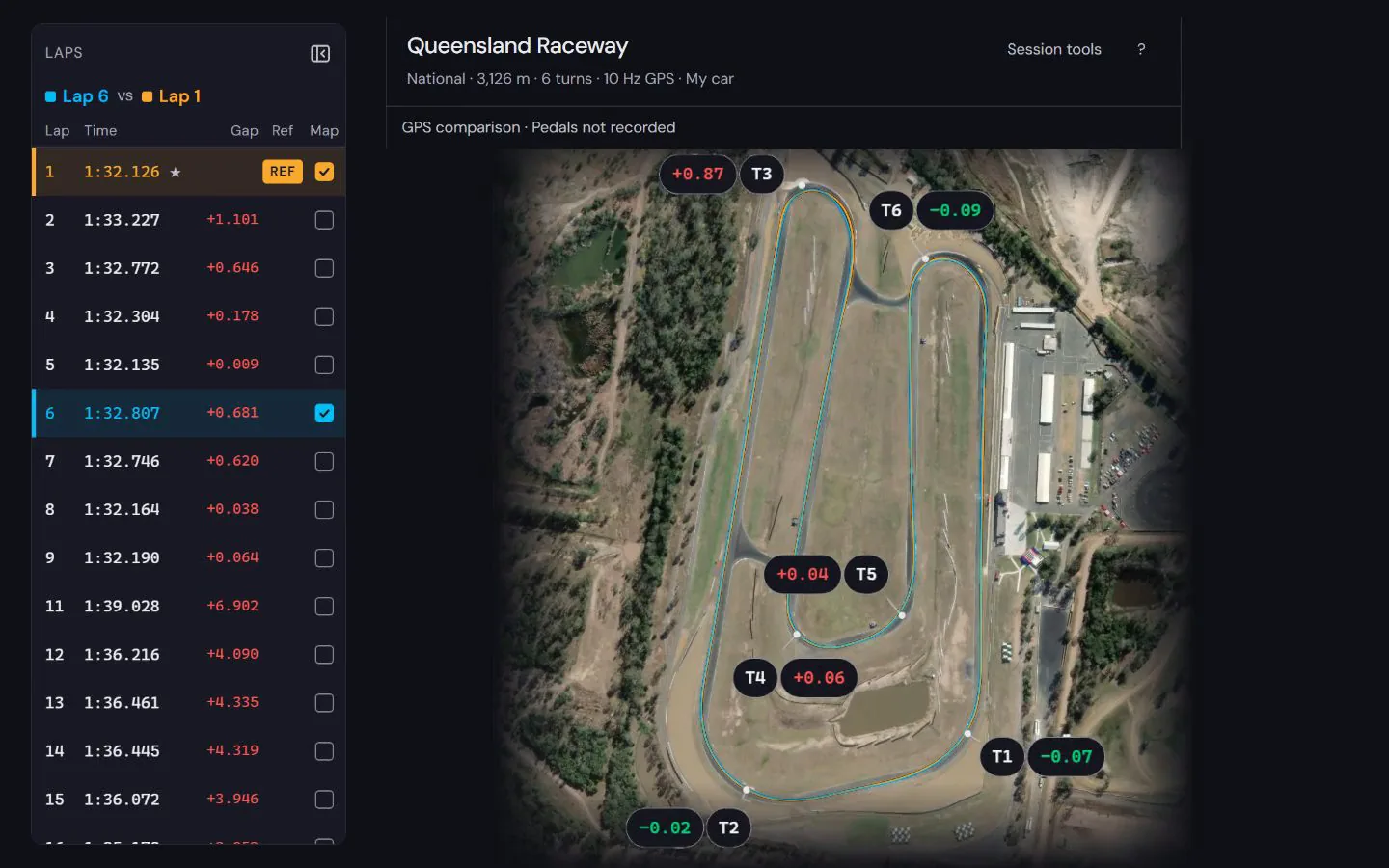
.fitin Purple Sector to compare laps.
Why there may be no .fit file
Owners on Garmin’s developer forum report that Catalyst software 5.30 stopped writing session .fit files, quoting a Garmin support reply that this was by design. Garmin hasn’t published a note about it. If you don’t see a .fit, your software doesn’t write one, and there is no file to copy.
Can I export from Garmin Connect?
Unconfirmed. Garmin says Catalyst session data syncs to your Garmin account. It doesn’t say whether that data can be downloaded from Garmin Connect as a file. If your session shows in Garmin Connect on a computer, try Export Original and open the download here (a .zip is unpacked for you). If it works, tell us at support@purplesector.dev.
What if I can’t get a file?
Record the next session with a second logger alongside: a phone lap timer with an external GPS, or a RaceBox. See Lap timer apps compared and Garmin Catalyst vs RaceBox vs AiM Solo 2.
Questions
How do I download data from a Garmin Catalyst?
Garmin doesn’t document a data export. Session data syncs to the Catalyst app and your Garmin account, video with overlays saves to the memory card or your phone, and on older software a .fit file can be copied off over USB.
Can I export Garmin Catalyst data to a computer?
Video, yes. A data file only where the device still writes a .fit, on older software. Garmin’s own Catalyst page says there’s "no need to download data to your computer"; the analysis is meant to happen on the device and in the app.
Does the Catalyst 2 export data files?
Garmin documents video export with overlays from the app, not a data file. The Catalyst 2 has a USB-C connection and a microSD card (32 to 512 GB) for video.
Is the Catalyst app’s video a data file?
No. It’s a picture with the overlay drawn on it.
Do I need a Vault subscription?
Vault is Garmin’s paid subscription for storing videos. Garmin doesn’t publish its price on the pages we checked.
More: Which file to export from each logger · RaceBox data export · How to compare laps
Sources, checked 23 October 2026
- Catalyst syncs session data to your Garmin account; video does not sync: www8.garmin.com/manuals/webhelp/GUID-16C78876-E016-40FD-8A0A-049BA52B4
- Save a session video with data overlays to the memory card: www8.garmin.com/manuals/webhelp/GUID-16C78876-E016-40FD-8A0A-049BA52B4
- The Catalyst shows on a computer as a removable drive over USB: www8.garmin.com/manuals/webhelp/GUID-16C78876-E016-40FD-8A0A-049BA52B4
- No session-data export in the manual: www8.garmin.com/manuals/webhelp/GUID-16C78876-E016-40FD-8A0A-049BA52B4
- "No need to download data to your computer": garmin.com/en-AU/p/690726
- Catalyst 2: data to the app over Bluetooth; save videos to the phone: www8.garmin.com/manuals/webhelp/GUID-9592B201-210B-4F3A-9081-7F876CC81
- Catalyst 2: USB-C; Settings, Connect to Computer: www8.garmin.com/manuals/webhelp/GUID-9592B201-210B-4F3A-9081-7F876CC81
- Catalyst 2: microSD 32 to 512 GB: www8.garmin.com/manuals/webhelp/GUID-9592B201-210B-4F3A-9081-7F876CC81
- Catalyst 2 exports HD videos with data overlays: garmin.com/en-AU/p/1917956
- Vault is a paid subscription for videos: www8.garmin.com/manuals/webhelp/GUID-9592B201-210B-4F3A-9081-7F876CC81
- Owners report 5.30 removed .fit files; support reply "removed by design": forums.garmin.com/developer/fit-sdk/f/discussion/331182/catalyst-fit-f