 Purple Sector
Open MoTeC .ld and .ldx logs in your browser
Open a MoTeC .ld log with its .ldx beside it in your browser and compare laps corner by corner. Includes why a sim log can show no laps.
- .ld
- .ldx
How do I get the session file from a MoTeC logger?
Bring: the .ld with the .ldx of the same name
On a computer
- Find the .ld and its .ldx: in i2’s Logged Data folder, or in your sim’s own MoTeC folder.
- Select both and open them here together (or put them in one .zip).
On a phone
- MoTeC logs are kept on a computer. Open this page there.
- Select the .ld and its .ldx and open them here together.
Watch out: Bring the .ldx too. A sim’s .ld on its own has no laps.
Vendor instructions: MoTeC i2
What else should I know about the file?
Limits to know
- A sim (ACC, Assetto Corsa, rFactor 2) writes its laps only in the .ldx, so an .ld opened alone has none.
- A log without GPS opens with its traces but no track map.
- An i2 CSV export also works; do not edit it in Excel first.
Why does my sim log show no laps?
A sim (ACC, Assetto Corsa, rFactor 2) writes its laps only in the .ldx, so an .ld opened alone has none. Open the .ldx with it.
Does the log need GPS?
A log without GPS opens with its traces but no track map.
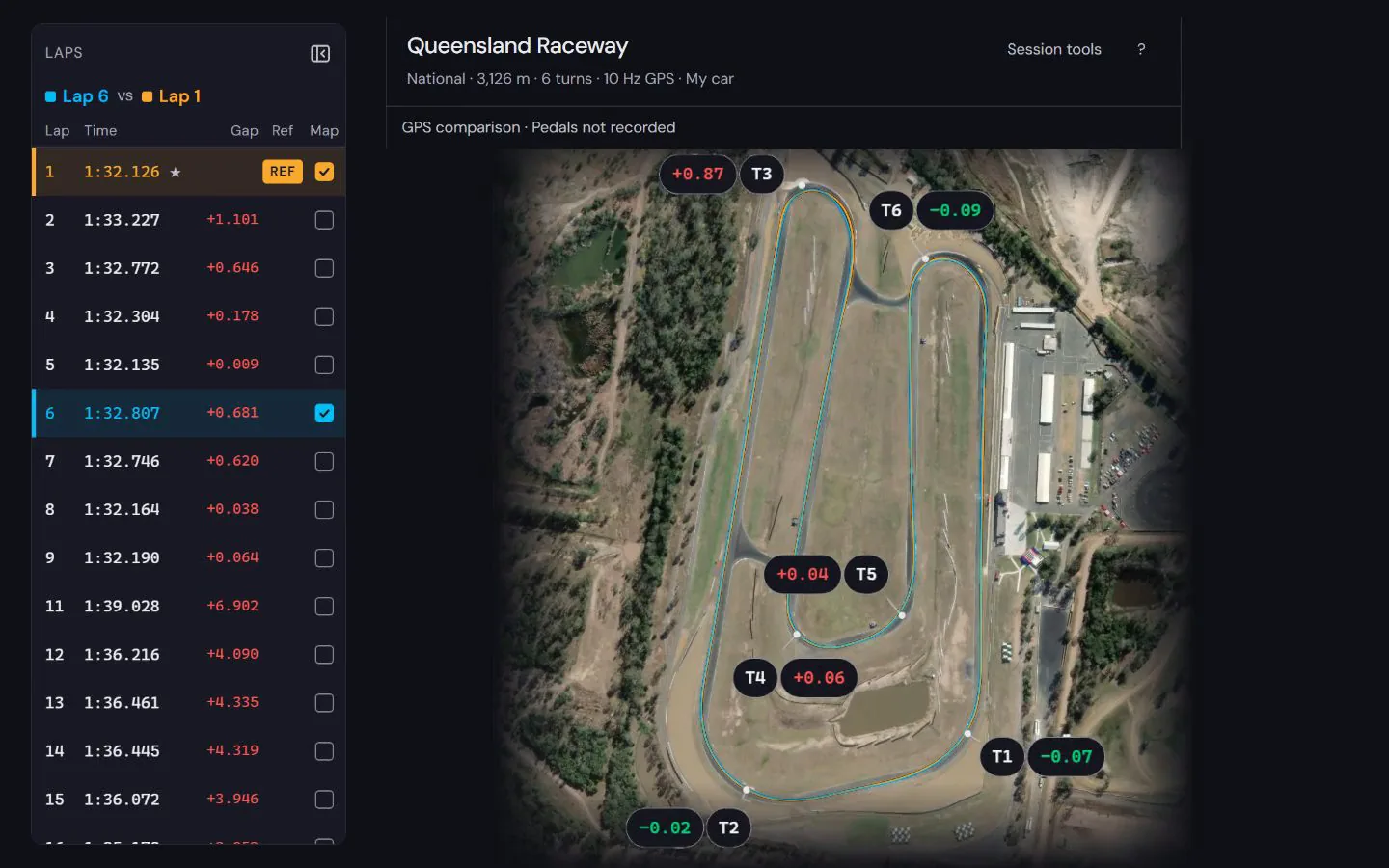
What do I see once the file opens?


See how to read the speed and time difference in a worked lap comparison at Norwell, using a public sample recording and its stated evidence limits.
How to compare laps · Circuit maps
Popular circuits: Mount Panorama · Phillip Island · Sydney Motorsport Park · The Bend Motorsport Park · Albert Park Grand Prix Circuit · Adelaide Street Circuit · Lakeside Park · Calder Park Raceway · all circuit maps.