 Purple Sector
Open VBOX .vbo files on a Mac or PC
Circuit Tools for Mac is free from Racelogic. Or open a VBOX .vbo session in your browser on a Mac or PC, and compare it with laps from other loggers.
- .vbo
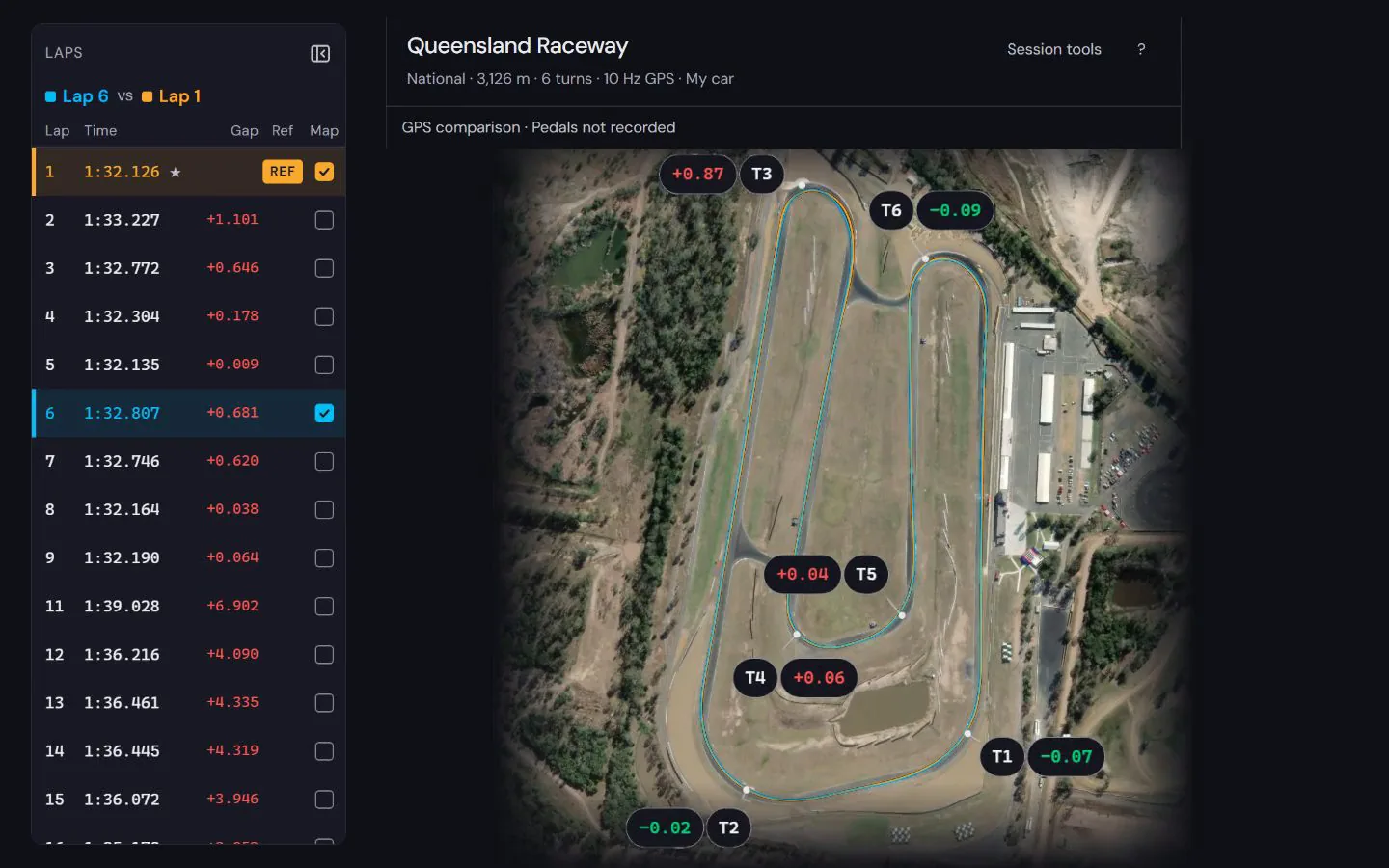
Racelogic's own Circuit Tools is free and has a macOS version, so you don't need Windows to open a .vbo on a Mac. Purple Sector is another way: it opens the same .vbo in a browser, with nothing to install.
Where it differs: it also opens files from MyChron, RaceBox, RaceChrono and other loggers, so you can compare laps from different devices in one place, and it adds an AI debrief. Circuit Tools is Racelogic's own tool for VBOX files and video.
How do I get the session file from a VBOX?
Bring: the session’s .vbo, exactly as the VBOX wrote it
On a computer
- Wait until the record light is off, then take out the SD card.
- Put the card in your computer. On a Video VBOX HD2 the .vbo is beside the video in the media folder.
- Open the .vbo here as it is.
On a phone
- With a VBOX Sport and the VBOX Laptimer iPhone app, turn on “Log VBO file” before the session.
- After the session, the .vbo is in the Files app.
- Open it here. The app’s “Export” button makes a results CSV, not the lap file.
Watch out: Bring the whole session’s .vbo. A Circuit Tools “Export Video and VBO” file holds only the laps you selected.
Vendor instructions: VBOX software and support
What else should I know about the file?
Limits to know
- A per-lap export from Circuit Tools holds only the selected laps, so bring the whole session’s .vbo.
- A VBOX 3i on firmware 3.0 writes .vbb, which does not open: open it in VBOX Test Suite 2.0 or later, choose File, Save As, All channels, then VBO, and open the .vbo.
- On a Video VBOX HD2, never take the card out while the blue Record light is on or flashing.
GPS rate
Current VBOX models record at 25 Hz (older ones at 10 Hz, a 3i up to 100 Hz), fast enough for AI coaching. What GPS can and cannot show.
Why will my VBOX file not open?
A per-lap export from Circuit Tools holds one lap, so there is no complete lap to time: bring the whole session’s .vbo. A VBOX 3i on recent firmware writes .vbb, which does not open: save it as .vbo in VBOX Test Suite first.
Can I use the VBOX Laptimer app on an iPhone?
Yes. Turn on Log VBO file and the file is saved to the Files app. Open that file. The app’s Export button makes a results CSV, not the lap file.
Can I analyse a VBO file on a Mac?
Yes. Copy the whole session’s .vbo file to your Mac and open it in Purple Sector in your browser. Circuit Tools also has a macOS version; browser analysis is another way to review the recording, rather than a requirement to convert it.
Why do I need the whole session rather than one exported lap?
A full-session recording retains the timing crossings and samples around complete laps. A trimmed export can lose those boundaries. Keep the original VBO unchanged and check the lap list and timing warnings after opening it before choosing a reference.
What do I see once the file opens?


See how to read the speed and time difference in a worked lap comparison at Norwell, using a public sample recording and its stated evidence limits.
How to compare laps · Circuit maps
Next: Garmin Catalyst vs RaceBox vs AiM Solo 2 · Track day telemetry for beginners · Optimal lap time
Popular circuits: Mount Panorama · Phillip Island · Sydney Motorsport Park · The Bend Motorsport Park · Albert Park Grand Prix Circuit · Adelaide Street Circuit · Lakeside Park · Calder Park Raceway · all circuit maps.
Sources, checked 23 October 2026
- Circuit Tools is free and runs on macOS 10.12 or later: support-centre.racelogic.co.uk/motorsport/software/ctmacos/ug/getting-