 Purple Sector
RaceChrono export and lap analysis
Export a RaceChrono Pro session as VBO or CSV, or share it as .rcz, then compare laps on a computer. Why the free Android app gives you no export.
- .vbo
- .csv
- .rcz
RaceChrono Pro exports a session as VBO or CSV, among other formats. RaceChrono's feature table shows no data export in the free RaceChrono for Android: VBO, CSV, NMEA and ODS are Pro features.
RaceChrono only runs on phones and tablets, so analysing on a computer means exporting first. RaceChrono's own advice is to export a VBO and open it in Circuit Tools. You can also open the VBO, the CSV or a shared .rcz session here.
How do I get the session file from RaceChrono?
Bring: the session shared as .rcz (with Pro, a .vbo or CSV also works)
On a computer
- RaceChrono runs on phones only. Share the session from the app as .rcz, or with Pro export it as VBO.
- Send the file to your computer (email or AirDrop).
- Open it here.
On a phone
- In RaceChrono, open the session.
- Tap the share button at the top of the session overview.
- Choose “Save to Files” (iPhone) or Downloads (Android).
- Back here, open your lap file and pick it from “Recents” (iPhone) or Downloads (Android).
Watch out: VBO and CSV exports are in RaceChrono Pro only.
Vendor instructions: RaceChrono support
What else should I know about the file?
Limits to know
- RaceChrono’s feature table lists the VBO, CSV, NMEA and ODS exports in RaceChrono Pro only.
- On iPhone there is only the paid Pro app; on Android the free app can buy the Pro upgrade.
- The .rcz archive is supported but not yet checked against a customer’s file (it is tested on archives built to its documented layout), and its CAN channels arrive unnamed, so they are shown as file channels only.
Can I export from the free RaceChrono?
No. RaceChrono's feature table shows the VBO, CSV, NMEA and ODS exports only in RaceChrono Pro.
Does the .rcz archive open?
It is supported, but not yet checked against a customer’s file: it is tested on archives built to its documented layout. Its CAN channels arrive unnamed, so they are shown as file channels only.
How do I analyse RaceChrono laps on a computer?
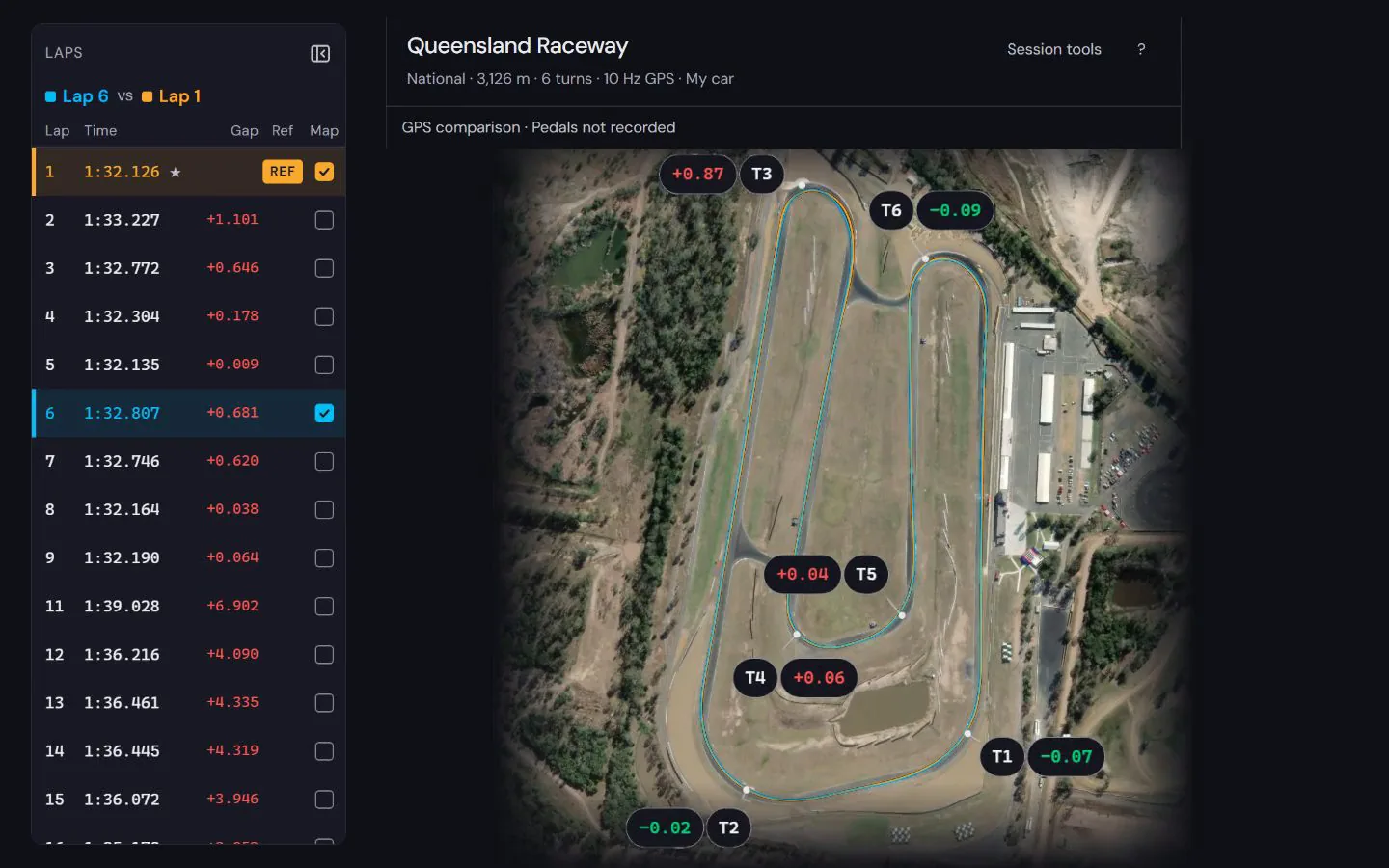
Export the complete session as VBO or CSV, transfer that file to your computer and open it in Purple Sector. For a first comparison, choose two complete laps from the same session and read the speed and time-difference traces together. A video with a telemetry overlay is not a replacement for the recorded data.
Why does the CSV show several speed channels?
RaceChrono can export GPS, calculated and CAN channels with the same short name. Keep the original header rows and units: they identify each channel’s source. Do not remove repeated columns in a spreadsheet before importing. The presence of an OBD or CAN channel does not by itself establish which driving input it measures.
What do I see once the file opens?


See how to read the speed and time difference in a worked lap comparison at Norwell, using a public sample recording and its stated evidence limits.
How to compare laps · Circuit maps
Next: RaceChrono data analysis · Lap timer apps compared · Motorcycle lap timers compared
Popular circuits: Mount Panorama · Phillip Island · Sydney Motorsport Park · The Bend Motorsport Park · Albert Park Grand Prix Circuit · Adelaide Street Circuit · Lakeside Park · Calder Park Raceway · all circuit maps.
Sources, checked 23 October 2026
- Pro exports ODS, NMEA, VBO and CSV; no export in the free app: racechrono.com
- RaceChrono only exists on mobile devices; export a VBO for Circuit Tools; share a session as .rcz: racechrono.com/support