 Purple Sector
Analyse MyChron and AiM Solo .xrk files in your browser
Open a MyChron or AiM Solo 2 .xrk or .xrz session in your browser, compare laps with your quickest and see which corners cost time. No CSV export needed.
- .xrk
- .xrz
How do I get the session file from a MyChron or AiM Solo?
Bring: the session’s .xrk or .xrz file
On a computer
- In Race Studio 3 (Windows), click the Wi-Fi icon, pick your MyChron or Solo and click “Connect”. A MyChron 6 can also use its USB-C cable.
- Open the “Data Download” tab (“Download” on a MyChron 5 or Solo 2 DL), tick the session and download it.
- Open the .xrk from
C:\AIM_SPORT\RaceStudio3\user\datahere. No export is needed. - No Windows? A MyChron can come off over its own Wi-Fi: choose “Download from MyChron (WiFi)” on your dashboard.
On a phone
- AiM’s RaceStudio 3 phone app shares to AiM Cloud and FASTLAP only, so get the file on a computer.
- On Windows, download the session in Race Studio 3. On a Mac, choose “Download from MyChron (WiFi)” on your dashboard.
Watch out: Bring the session file, not a Race Studio report or a one-lap CSV.
Vendor instructions: AiM Race Studio 3 manual
What else should I know about the file?
Limits to know
- Race Studio 3 runs on Windows only; a Mac needs Purple Sector Link or a virtual Windows.
- On Windows 11 24H2, Race Studio 3 may not see the logger’s Wi-Fi until Location is turned on.
- A Race Studio 2 logger (MyChron 4 and older) saves a .drk: open it together with the .gpk and .rrk of the same name for the map.
- It opens with the logger’s laps and GPS speed; its other channels need a Race Studio CSV export.
- Race Studio summary tables cannot be opened.
Do I need Race Studio to open an .xrk file?
Not to open it here: Purple Sector reads the .xrk or .xrz as it is. Getting the session off the logger is a separate step. A MyChron 5, 5S or 6 can be downloaded over its own Wi-Fi with Purple Sector Link, a small free app for Mac or PC. A Solo 2, or a MyChron you already download with Race Studio 3 on Windows, goes through Race Studio 3 as usual.
Which AiM files will not open?
Race Studio summary tables cannot be opened. A Race Studio 2 .drk opens with the logger's laps and GPS speed; open it together with the .gpk of the same name for the track map. Its other channels need a full-session CSV export from Race Studio.
Can I analyse MyChron data on a Mac?
Yes: once you have the .xrk or .xrz session file, open it in Purple Sector in your browser. Downloading from the logger is a separate step. Purple Sector Link has been tried with a MyChron 5 on a Mac; see the limits above before relying on a different device or operating system.
Should I use the original XRK file or export a CSV?
Use the original .xrk or .xrz when available: it preserves the logger’s recorded channels and lap records without an export step. A full-session Race Studio CSV is another supported route. A lap summary or screenshot does not contain the recorded samples needed for a telemetry comparison.
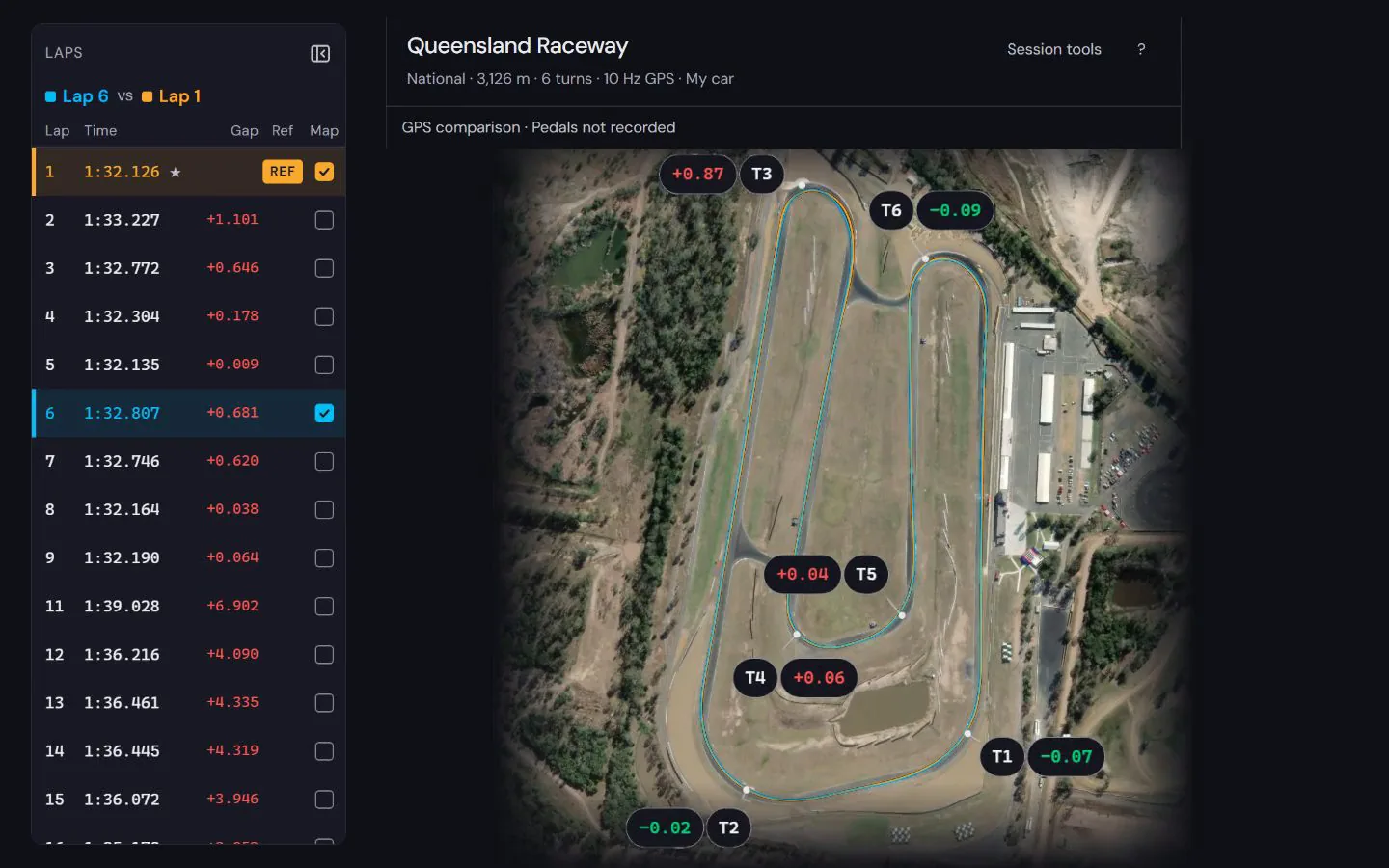
What do I see once the file opens?


See how to read the speed and time difference in a worked lap comparison at Norwell, using a public sample recording and its stated evidence limits.
How to compare laps · Circuit maps
Next: MyChron software and apps · AiM Solo 2 software and apps · How to read AiM Solo 2 data · XRK to CSV · Race Studio 3 on a Mac · How to read MyChron data · Kart data loggers compared
Popular circuits: Mount Panorama · Phillip Island · Sydney Motorsport Park · The Bend Motorsport Park · Albert Park Grand Prix Circuit · Adelaide Street Circuit · Lakeside Park · Calder Park Raceway · all circuit maps.